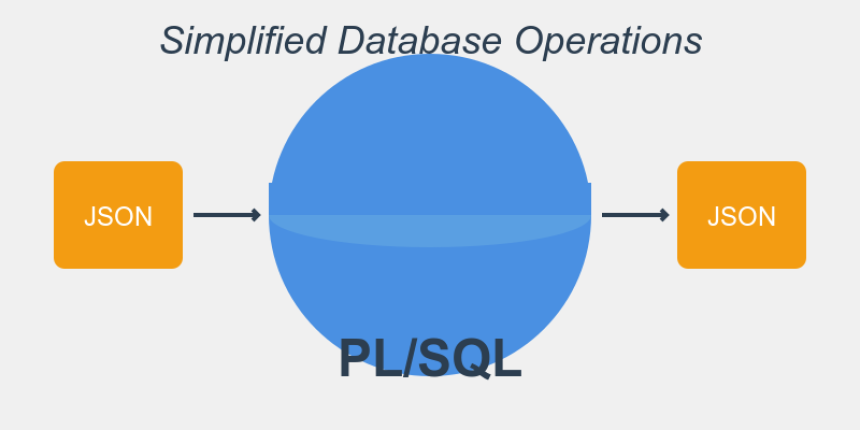

PLSQL With Oracle JSON Data
Demonstration of how to perform database operations using JSON input and output.
# Simplified Database Operations in PL/SQL: A Practical Guide
In today's post, we'll explore a simplified PL/SQL package version that demonstrates how to perform database operations using JSON input and output. This package, named `SimpleTransactions`, includes procedures for inserting transaction data and retrieving all transactions.
## Key Features
1. **JSON Input Handling**: The package can process both single JSON objects and JSON arrays for batch inserts.
2. **Error Handling**: Comprehensive error handling with detailed error messages for easier debugging.
3. **Flexible Data Retrieval**: A procedure to fetch all transactions in JSON format.
## The Table Structure
Our simplified table, `simple_transactions`, stores basic transaction information:
CREATE TABLE simple_transactions (
    id NUMBER PRIMARY KEY,
    transaction_date DATE,
    amount NUMBER(10,2),
    description VARCHAR2(100),
    user_id VARCHAR2(50)
);


CREATE SEQUENCE simple_transactions_seq START WITH 1 INCREMENT BY 1;


CREATE OR REPLACE TRIGGER simple_transactions_bir
BEFORE INSERT ON simple_transactions
FOR EACH ROW
BEGIN
  SELECT simple_transactions_seq.NEXTVAL
  INTO   :new.id
  FROM   dual;
END;
/
## Key Procedures
1. `INSERT_TRANSACTION`: Inserts a single transaction or multiple transactions from JSON input.
2. `GET_ALL_TRANSACTIONS`: Retrieves all transactions in JSON format.
## Implementation
Let's dive into the implementation
=> Package Spec/Declaration
CREATE OR REPLACE PACKAGE SimpleTransactions AS
  PROCEDURE INSERT_TRANSACTION(
    p_json_input IN CLOB,
    p_error_msg OUT VARCHAR2,
    p_error_code OUT VARCHAR2
  );


  PROCEDURE GET_ALL_TRANSACTIONS(
    p_json_result OUT CLOB
  );
END SimpleTransactions;
/
=> Package Body
CREATE OR REPLACE PACKAGE BODY SimpleTransactions AS
  PROCEDURE INSERT_TRANSACTION(
    p_json_input IN CLOB,
    p_error_msg OUT VARCHAR2,
    p_error_code OUT VARCHAR2
  ) AS
    v_json_array JSON_ARRAY_T;
    v_json_object JSON_OBJECT_T;
    v_transaction_date DATE;
    v_amount NUMBER;
    v_description VARCHAR2(100);
    v_user_id VARCHAR2(50);
    v_is_array BOOLEAN;
  BEGIN
    -- Determine if input is JSON array or object
    BEGIN
      v_json_array := JSON_ARRAY_T.parse(p_json_input);
      v_is_array := TRUE;
    EXCEPTION
      WHEN OTHERS THEN
        v_is_array := FALSE;
    END;


    IF v_is_array THEN
      -- Process JSON array
      FOR i IN 0 .. v_json_array.get_size() - 1 LOOP
        v_json_object := TREAT(v_json_array.get(i) AS JSON_OBJECT_T);

        BEGIN
          v_transaction_date := TO_DATE(v_json_object.get_string('transaction_date'), 'YYYY-MM-DD');
          v_amount := v_json_object.get_number('amount');
          v_description := v_json_object.get_string('description');
          v_user_id := v_json_object.get_string('user_id');

          INSERT INTO simple_transactions (transaction_date, amount, description, user_id)
          VALUES (v_transaction_date, v_amount, v_description, v_user_id);

        EXCEPTION
          WHEN OTHERS THEN
            p_error_msg := p_error_msg || 'Error at index ' || i || ': ' || SQLERRM || '; ';
        END;
      END LOOP;
    ELSE
      -- Process single JSON object
      v_json_object := JSON_OBJECT_T.parse(p_json_input);

      BEGIN
        v_transaction_date := TO_DATE(v_json_object.get_string('transaction_date'), 'YYYY-MM-DD');
        v_amount := v_json_object.get_number('amount');
        v_description := v_json_object.get_string('description');
        v_user_id := v_json_object.get_string('user_id');

        INSERT INTO simple_transactions (transaction_date, amount, description, user_id)
        VALUES (v_transaction_date, v_amount, v_description, v_user_id);

        p_error_msg := 'Success';
        p_error_code := '0';
      EXCEPTION
        WHEN OTHERS THEN
          p_error_msg := 'Error: ' || SQLERRM;
          p_error_code := SQLCODE;
      END;
    END IF;

    COMMIT;
  EXCEPTION
    WHEN OTHERS THEN
      p_error_msg := 'Unexpected error: ' || SQLERRM;
      p_error_code := SQLCODE;
      ROLLBACK;
  END INSERT_TRANSACTION;


  PROCEDURE GET_ALL_TRANSACTIONS(
    p_json_result OUT CLOB
  ) AS
    v_json_object JSON_OBJECT_T;
    v_json_array JSON_ARRAY_T := JSON_ARRAY_T();
  BEGIN
    FOR rec IN (SELECT * FROM simple_transactions ORDER BY transaction_date DESC) LOOP
      v_json_object := JSON_OBJECT_T();
      v_json_object.put('id', rec.id);
      v_json_object.put('transaction_date', TO_CHAR(rec.transaction_date, 'YYYY-MM-DD'));
      v_json_object.put('amount', rec.amount);
      v_json_object.put('description', rec.description);
      v_json_object.put('user_id', rec.user_id);

      v_json_array.append(v_json_object);
    END LOOP;

    p_json_result := v_json_array.to_clob();
  EXCEPTION
    WHEN OTHERS THEN
      p_json_result := JSON_OBJECT_T('{"error": "' || SQLERRM ||'"}').to_clob();
  END GET_ALL_TRANSACTIONS;
END SimpleTransactions;
/
## Benefits of This Approach
- **Flexibility**: The ability to handle both single and batch inserts with the same procedure.
- **Error Resilience**: In batch operations, errors in one record don't stop the entire process.
- **Easy Integration**: JSON input and output make it easy to integrate with various front-end technologies.
## Conclusion
This simplified package demonstrates effective ways to handle database operations in PL/SQL using JSON. It provides a solid foundation that can be extended for more complex scenarios in real-world applications.
Stay tuned for more in-depth explanations of each component in future posts!
The term 'gcc' is not recognized as the name of a cmdlet, function...
The term 'gcc' is not recognized as the name of a cmdlet, function... C , C++ compiler n...
How do you execute raw SQL queries in Entity Framework?
How do you execute raw SQL queries in Entity Framework?